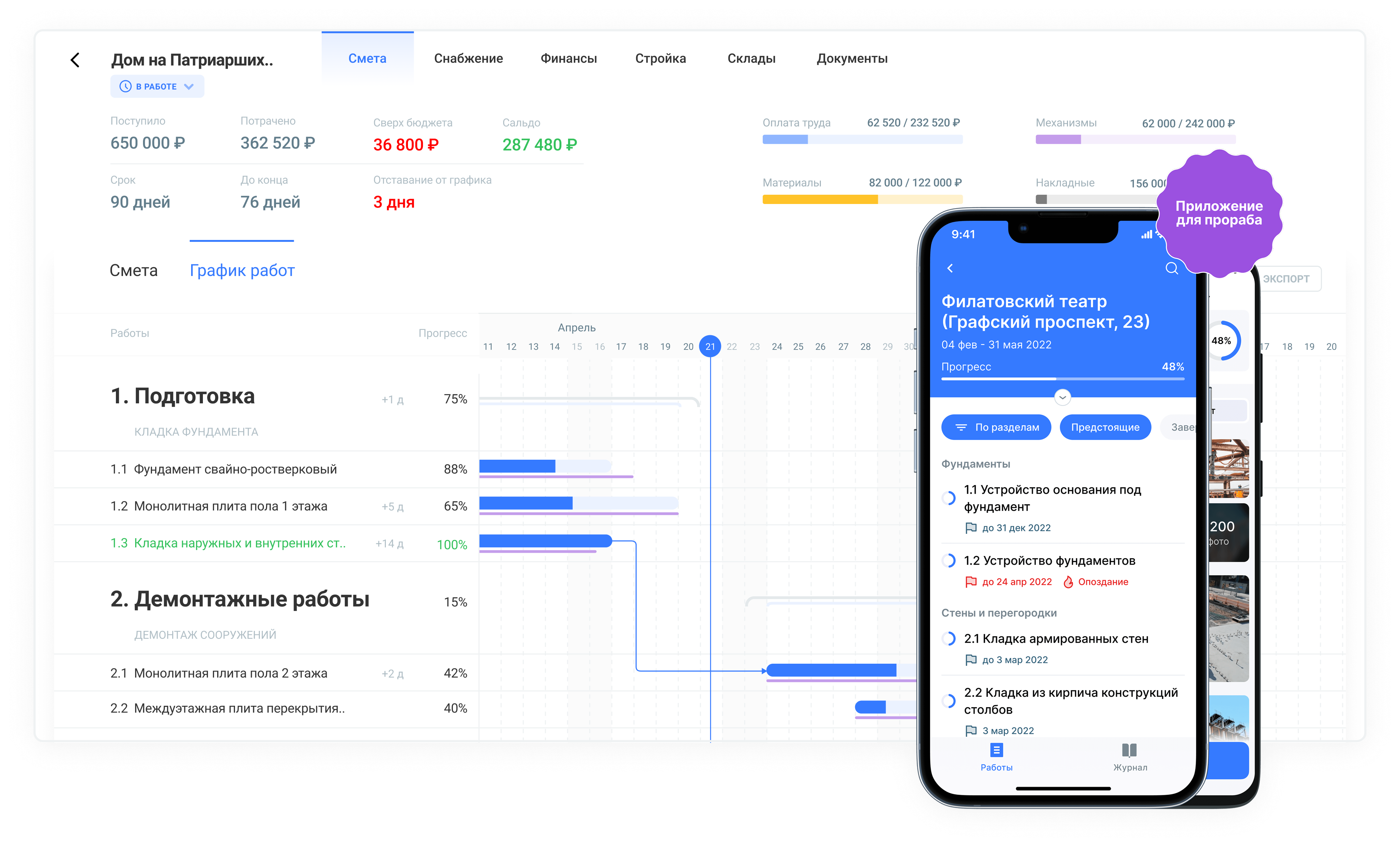
SaaS platform for construction companies that helps manage end-to-end operational processes in one service: estimates and cost control, procurement, scheduling, inventory, on-site progress tracking, and document flow.
Problems
When I joined Gectaro, the platform was scaling rapidly as more construction companies adopted it. The product had to support complex end-to-end workflows (estimates and cost control, procurement, scheduling, inventory, on-site tracking, documents) across different roles — while staying consistent, easy to learn, and efficient in daily operations.
Objective
Improve product adoption and operational efficiency by enabling construction teams to manage end-to-end processes in one platform, reducing manual work and process fragmentation.
Success metrics
- Activation / time-to-first-value (first project / estimate / procurement / document created)
- Feature adoption across key modules
- Workflow efficiency (time to complete key actions)
- User feedback loop: We collected feedback continuously through direct communication with customers (small user base enabled frequent live sessions). I regularly reviewed raw user input (problem descriptions, pain points), mapped it to real construction workflows, and translated it into UX improvements and product tasks.
Tasks
- Own core UX flows and UI across key modules
- Define UX strategy and end-to-end user scenarios together with PMs
- Drive discovery, prototyping, and validation to improve activation and module adoption
- Design and iterate on new features, prioritizing workflow efficiency and usability
- Establish scalable UI patterns/components to speed up future iterations
- Collaborate with engineers from discovery to delivery and post-release iteration
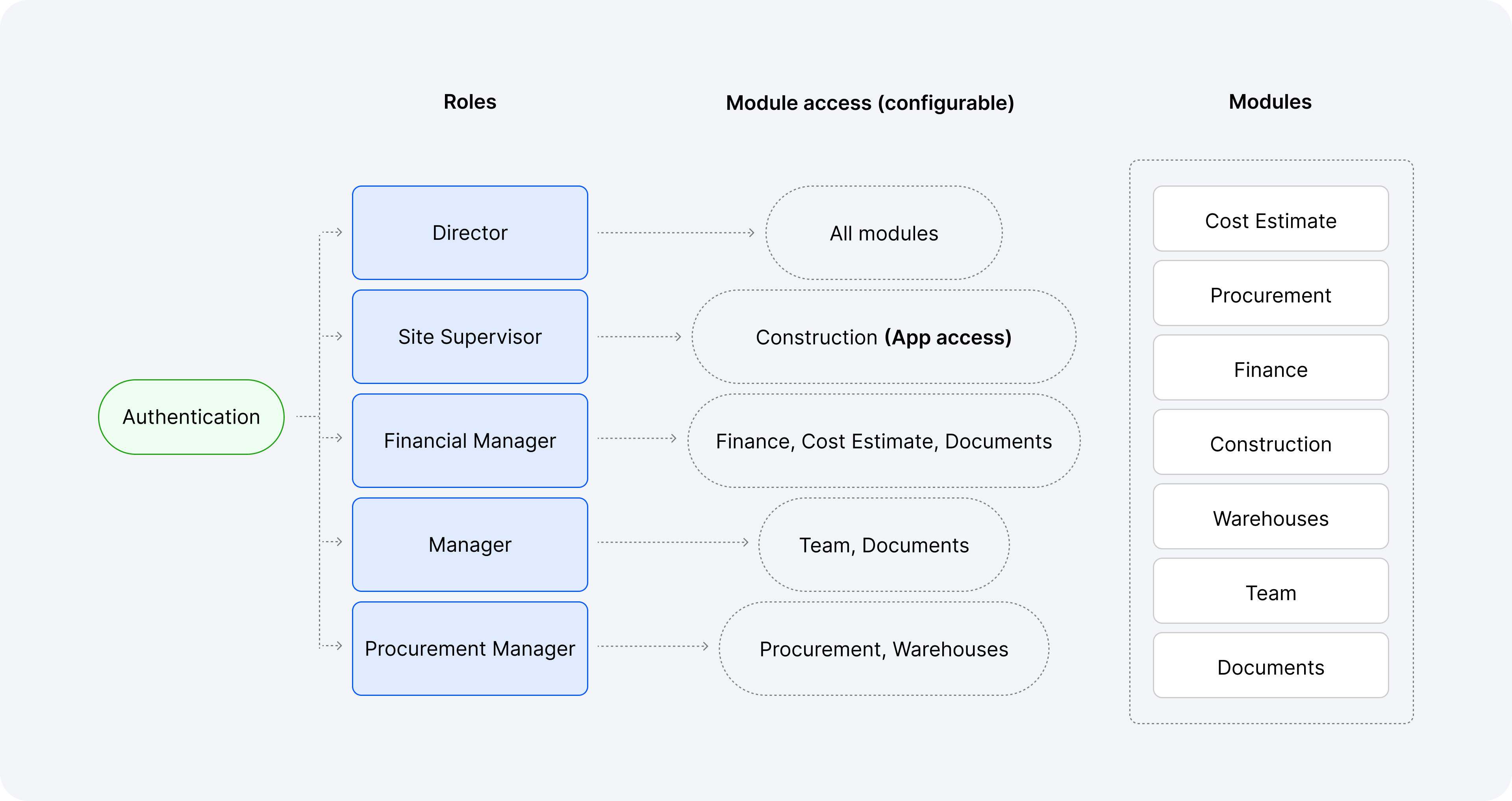
Role-based module access model
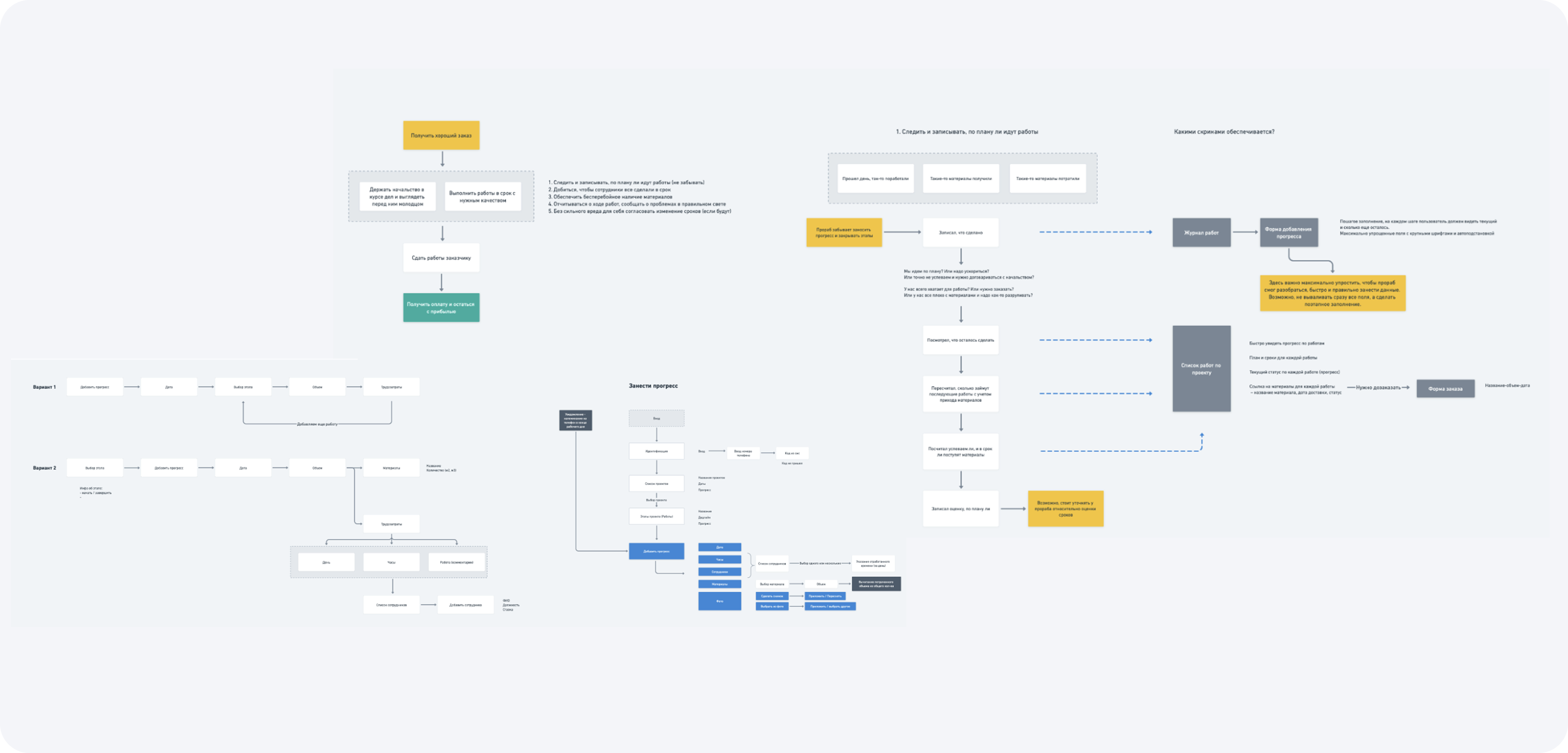
Scenario mapping for complex workflows
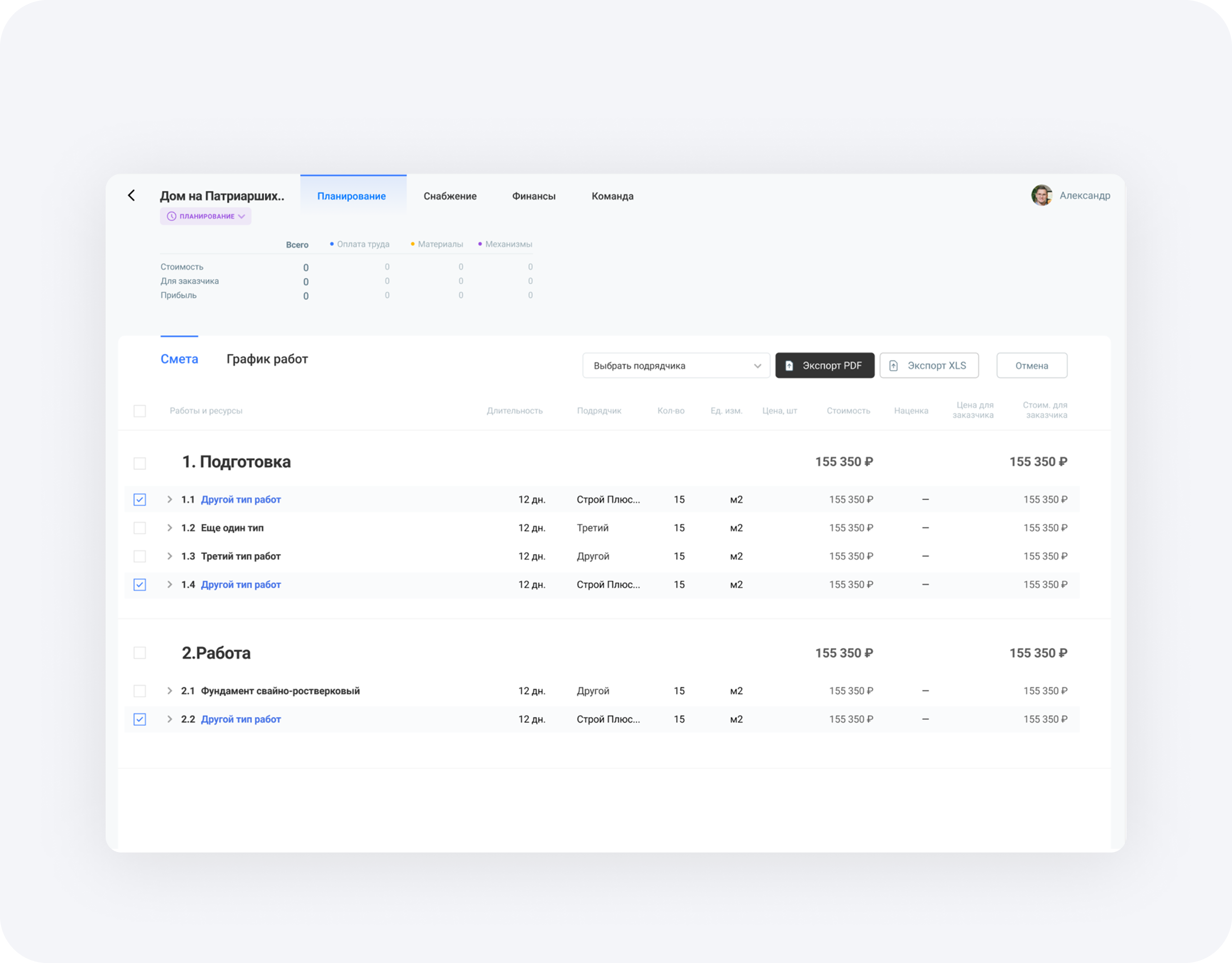
- The estimate tool was inconvenient and inflexible.
- It was hard to edit data and rearrange steps.
- Large estimates were difficult to navigate.
- Users needed to share estimates with clients without showing sensitive internal fields (e.g., margin).
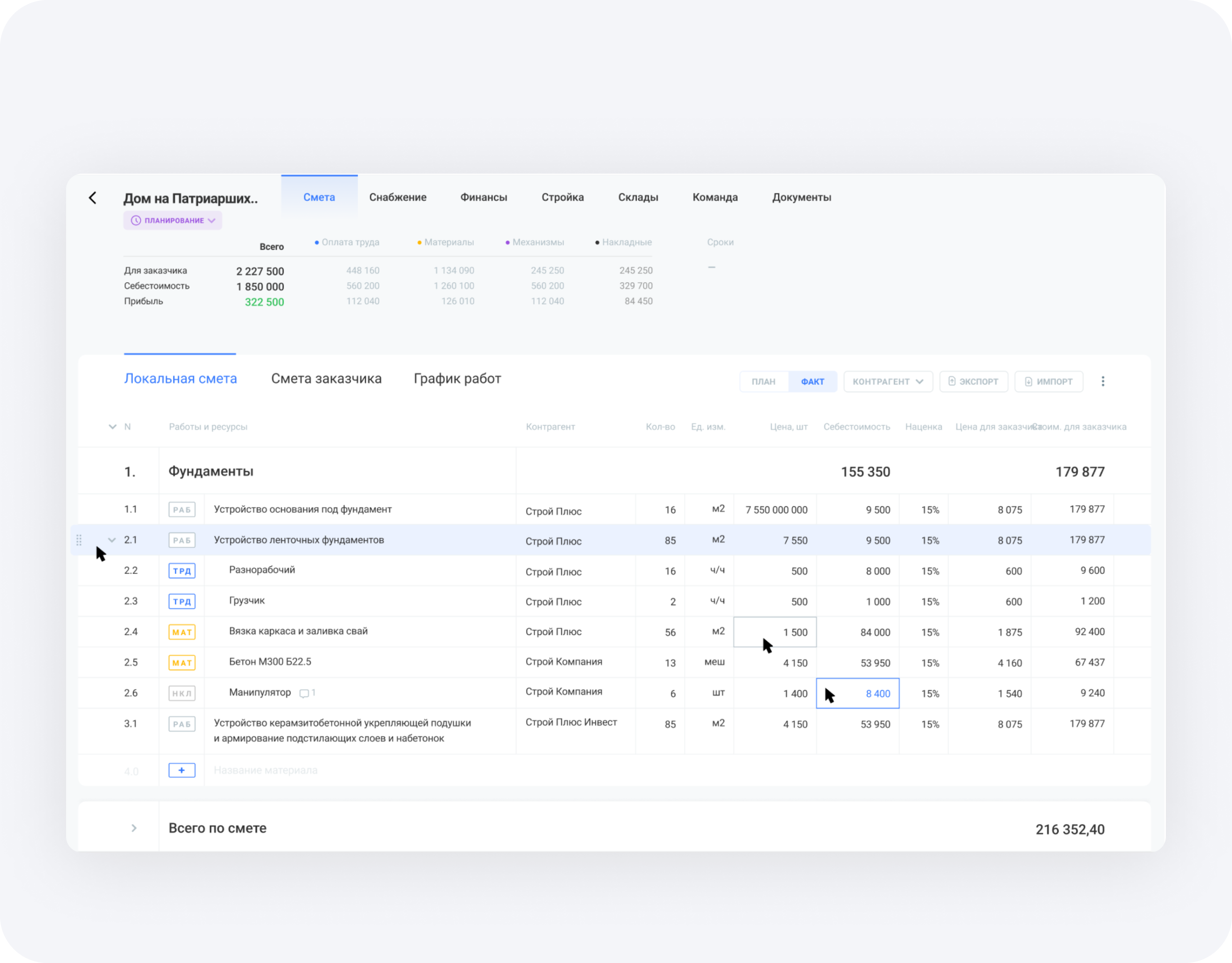
- Conducted user interviews and analyzed real estimate templates from different companies.
- Designed a flexible estimate structure that can be customized per company.
- Improved editing: easier to rearrange steps and update individual cells.
- Added filtering/navigation to quickly find information in large estimates.
- Enabled sharing with configurable visibility (users can choose which fields to show).
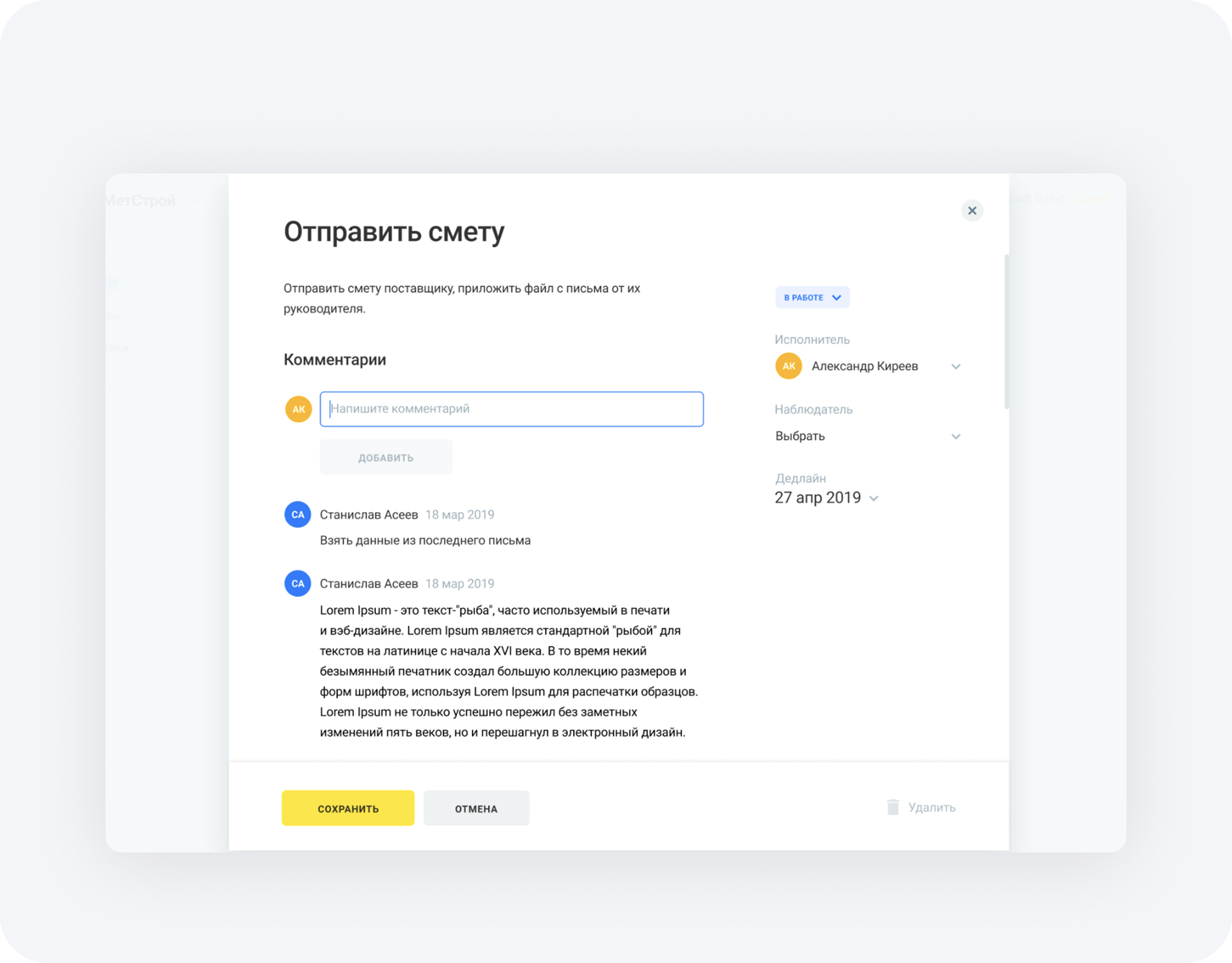
- Users couldn't attach materials/files to a task.
- Mentions were often missed, so teammates didn't receive notifications.
- Large tasks with many subtasks were hard to add and manage.
- A task couldn't be linked to multiple projects.
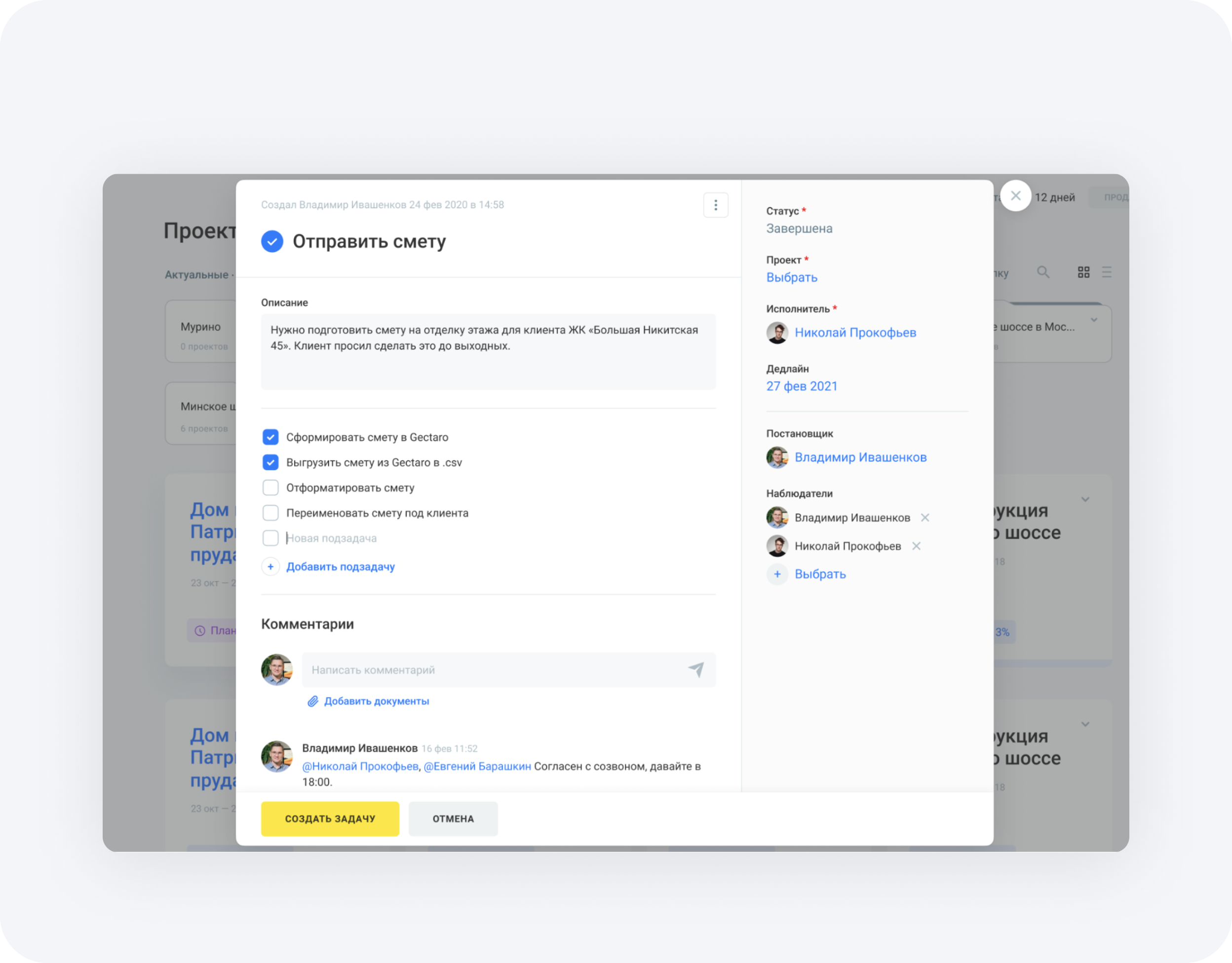
- Added the ability to attach materials/files to a task.
- Introduced @mentions with notifications.
- Added checklists/subtasks to break down large tasks.
- Enabled linking a task to one or multiple projects.
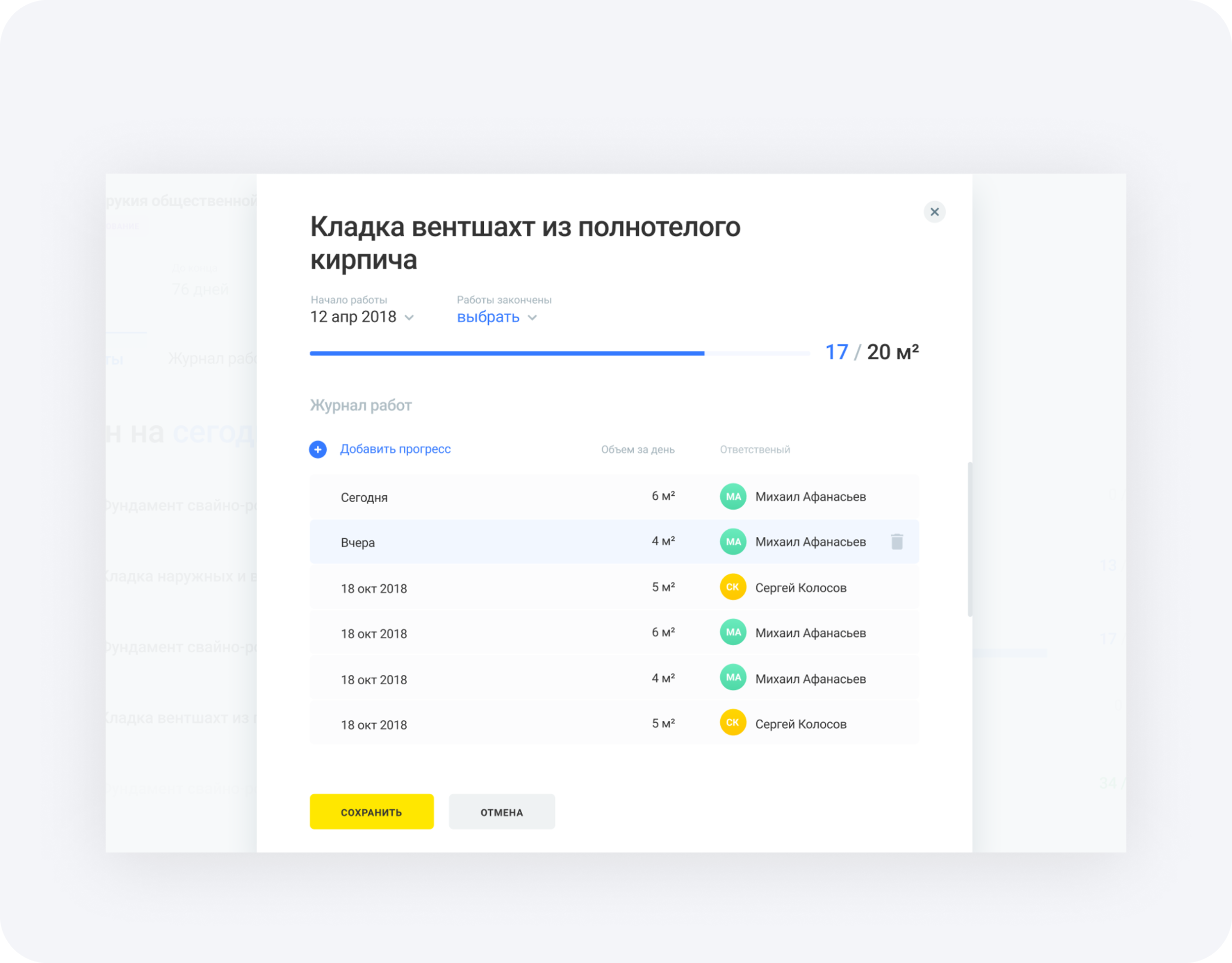
- The progress report didn't provide a quick overview of labor vs. plan (including overages).
- Users needed to attach photos of daily construction progress, but the system didn't support this.
- Projects often involved multiple contractors, but contractor information wasn't available in the report.
- There wasn't enough space or flexibility to leave comments.
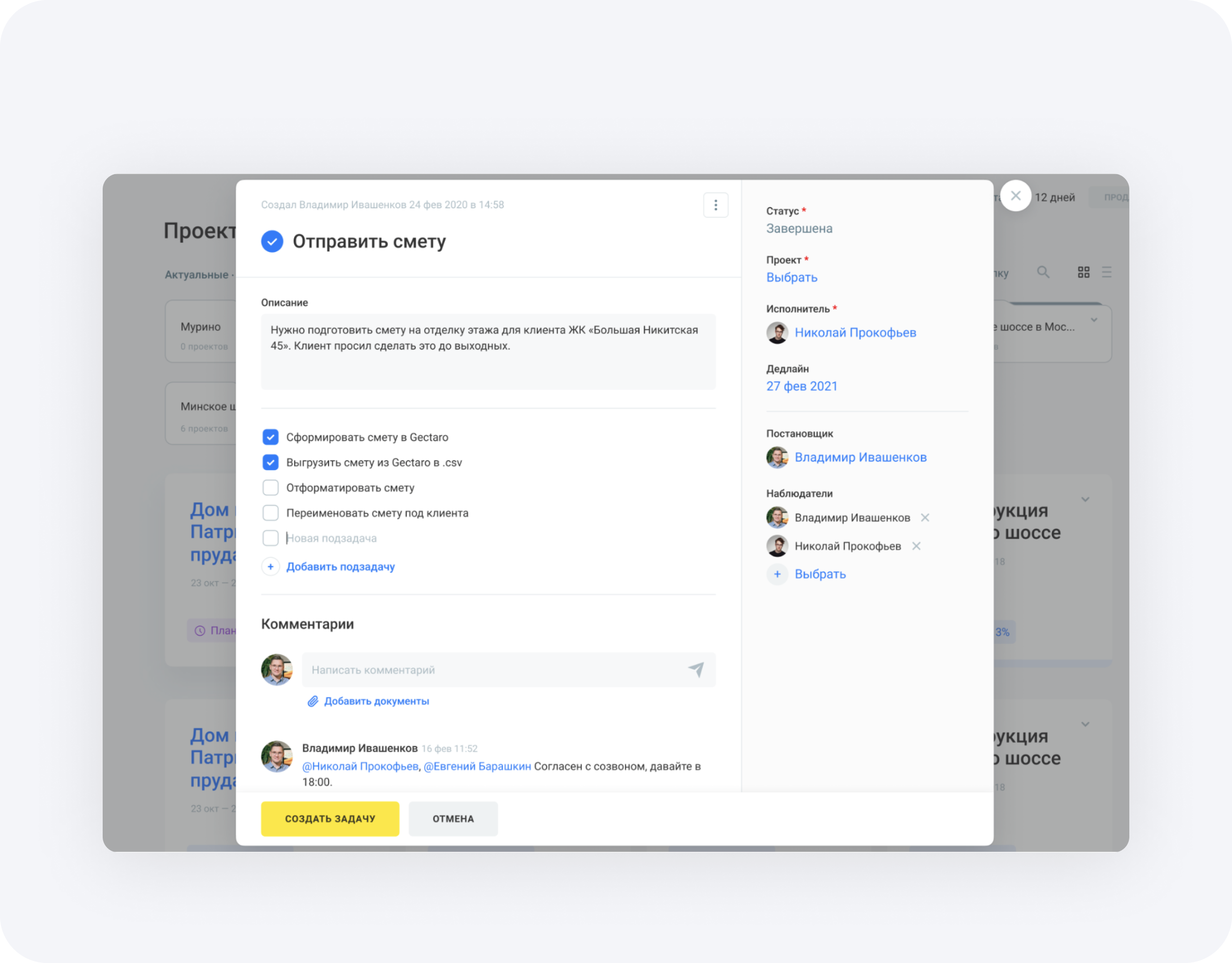
- Added a dashboard with summary metrics so users can instantly see progress and labor vs. plan.
- Enabled attaching photos to document daily construction progress.
- Added contractor details to the project report.
- Introduced a comments section for updates and clarifications.
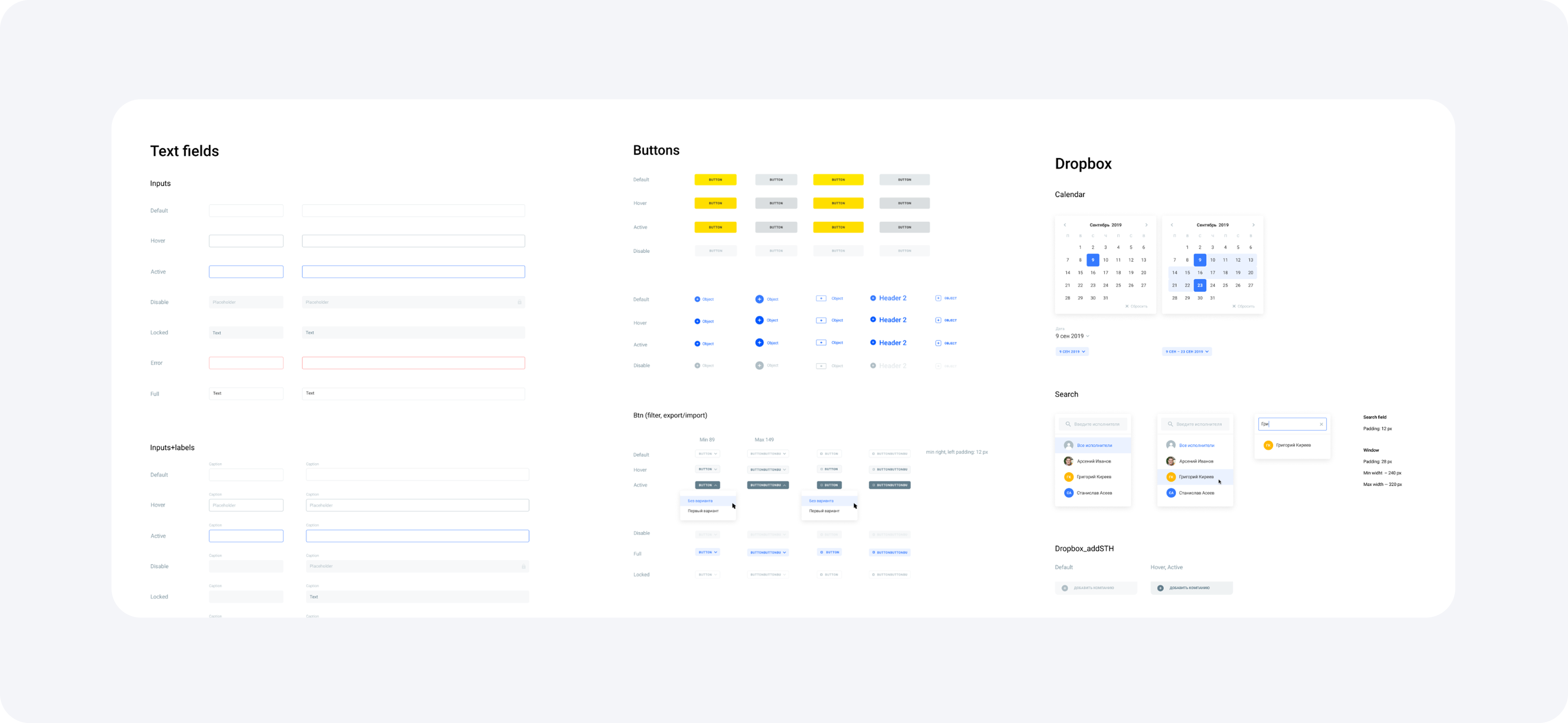
The design library grew 10+ times.
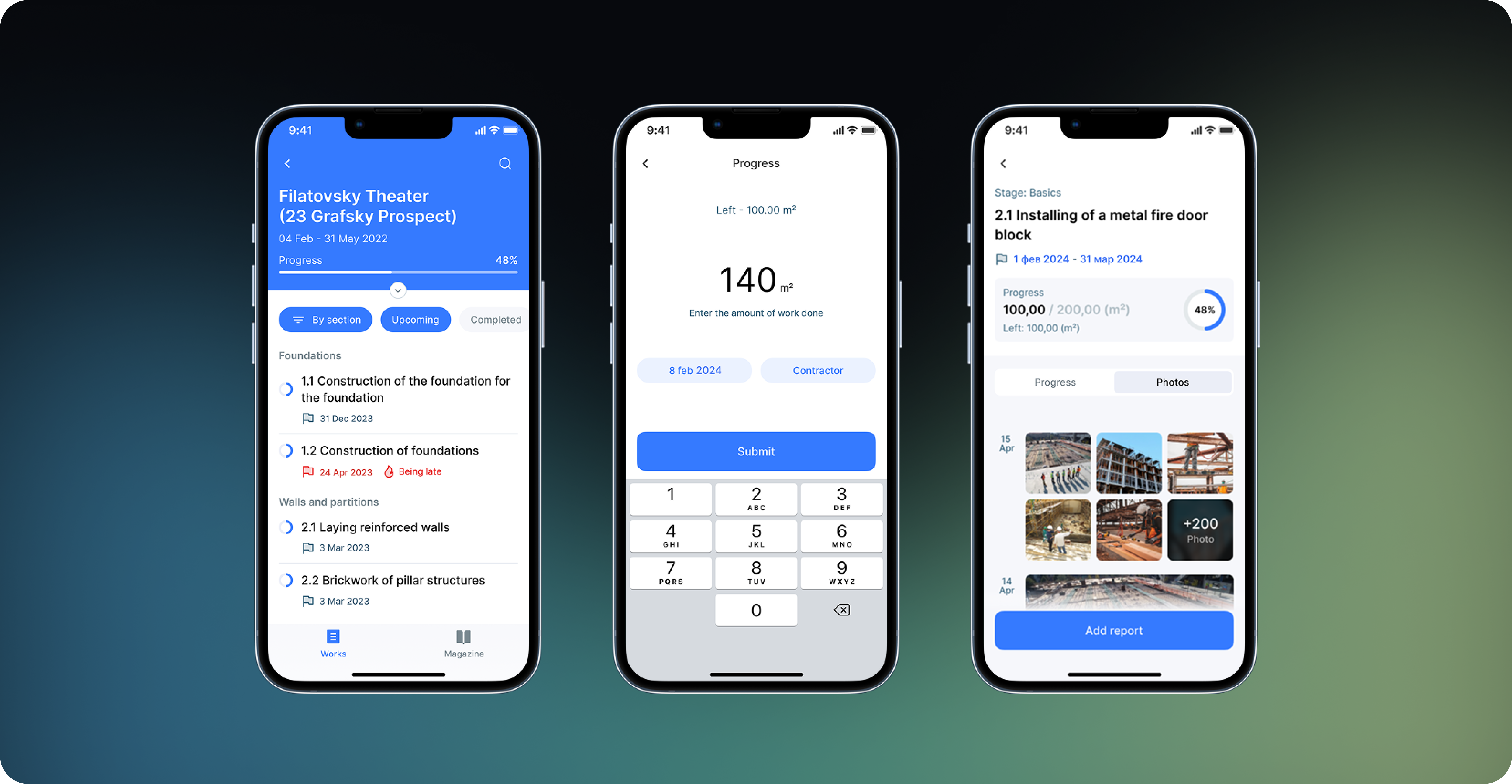
Mobile app
My impact over 3 years
- Product usage increased 2.5x.
- User satisfaction improved (survey results): 8/10 average rating.
- The number of active companies increased 3.8x.
- The number of projects created increased 4.3x.
- The product was officially accredited and added to the national register of compliant software.